Looking for the corresponding Quickstart Guide for your CollecTin? You have come to the right place.
CollecTin Solo customers, find the links under step 1, CollecTin More customers please follow the easy steps 1-2-3 with links under step 3.
Steps...
1 - Identify your CollecTin Type - CollecTin Solo or CollecTin More
2 - Identify your card reader
3 - Identify your model.
Follow these steps and click on the hyper-linked Quickstart Guides.
Step 1. CollecTin Type - CollecTin Solo or CollecTin More
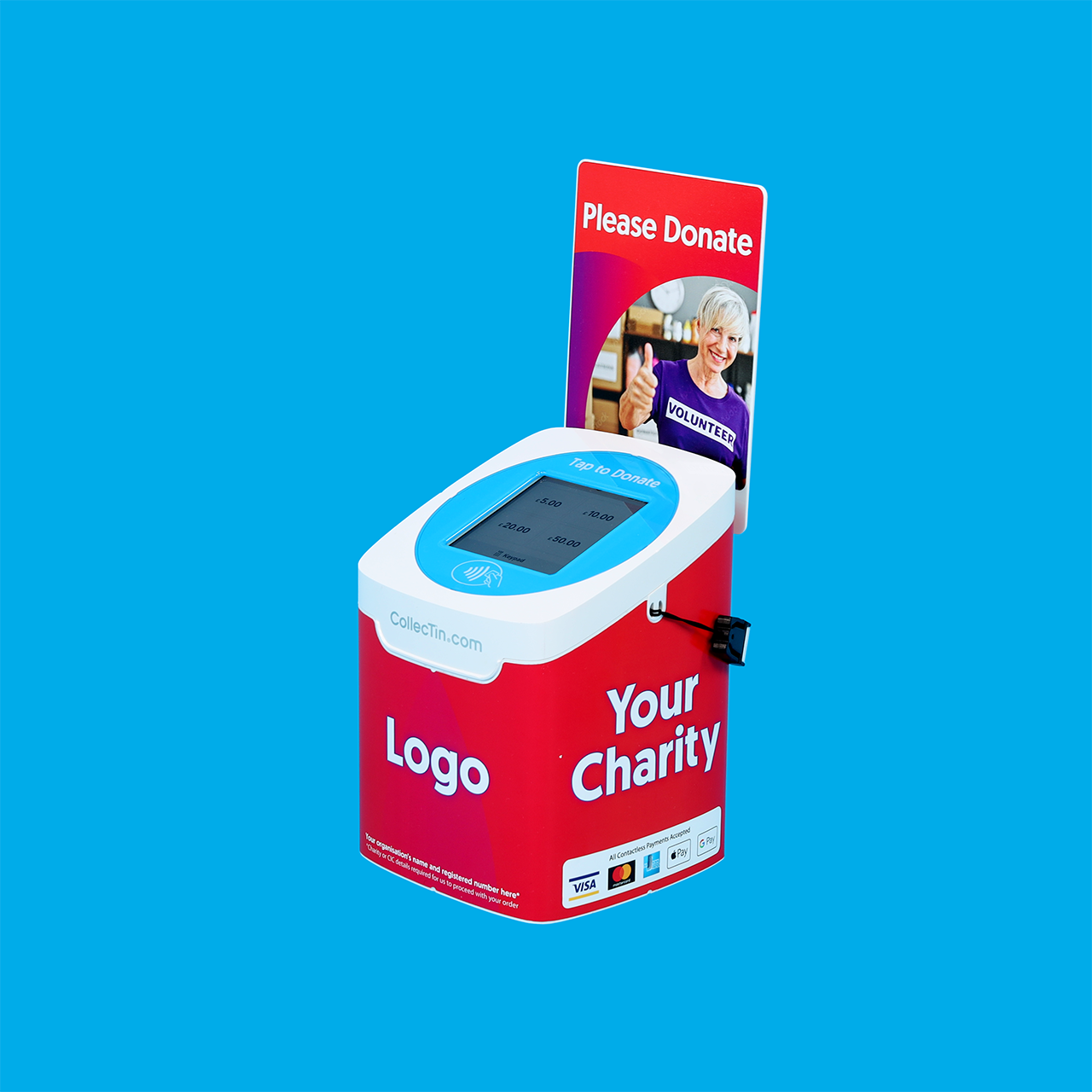 | 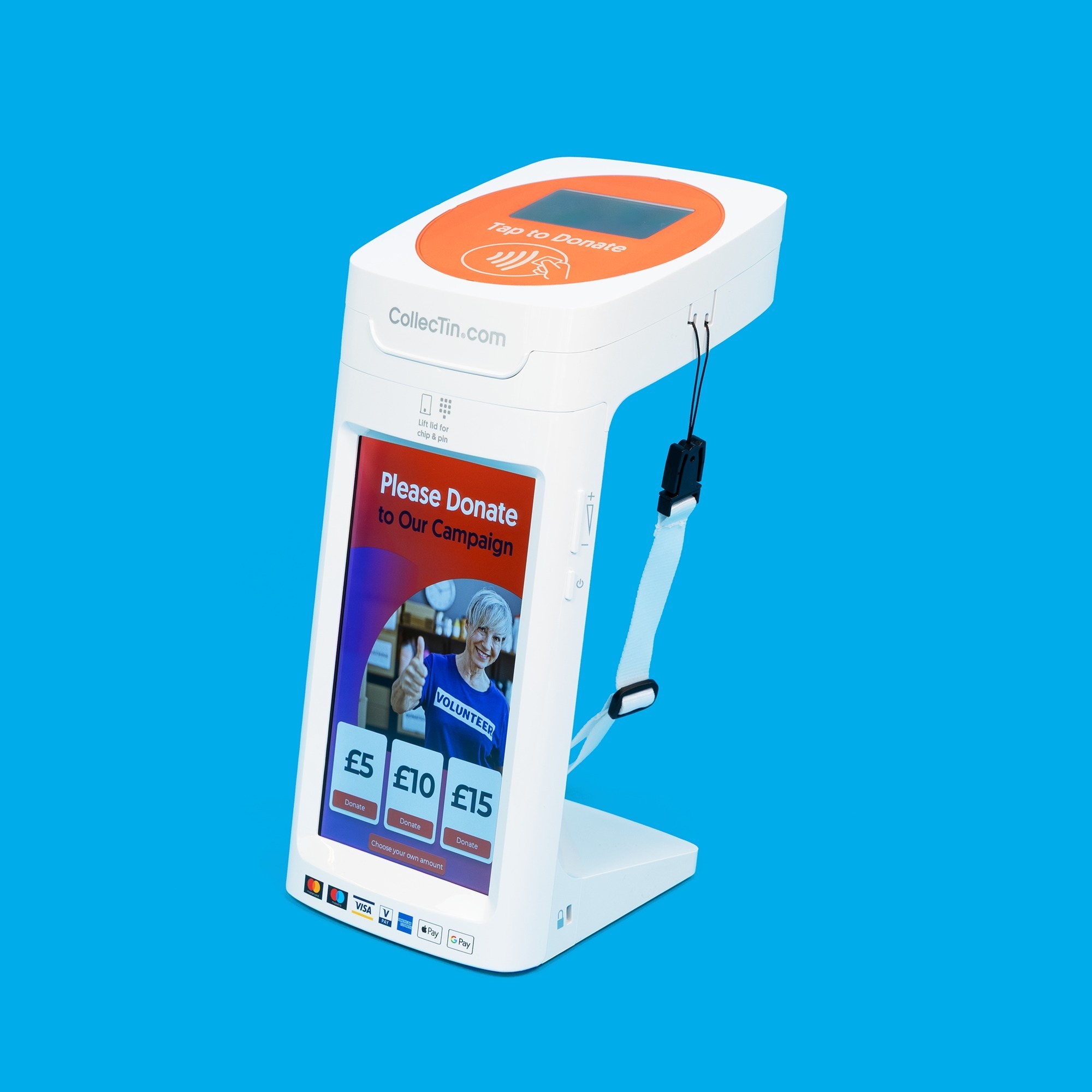 |
CollecTin Solo Get your guides on these links: CollecTin Solo Quickstart Guide or Parish Buying CollecTin Solo Quickstart Guide for Church of England customers | CollecTin More Continue with steps 2 and 3 to navigate to your corresponding Quickstart Guide |
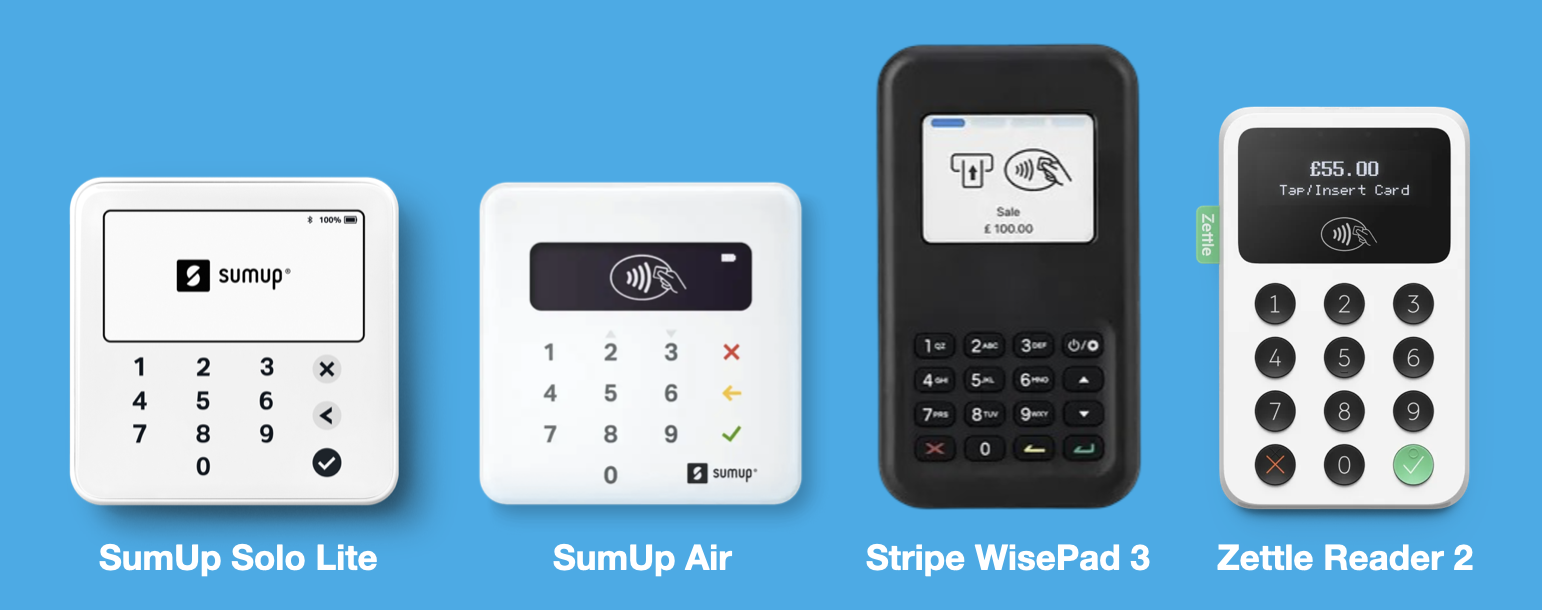
Step 2. Identify your Card Reader:
Lift the lid of your CollecTin More and look at the card reader.
- SumUp Solo Lite - White & square
- SumUp Air - White & square
- Stripe WisePad 3 - Black & rectangular
- Zettle Reader 2 - White & rectangular (all support is provided by Wil-U)
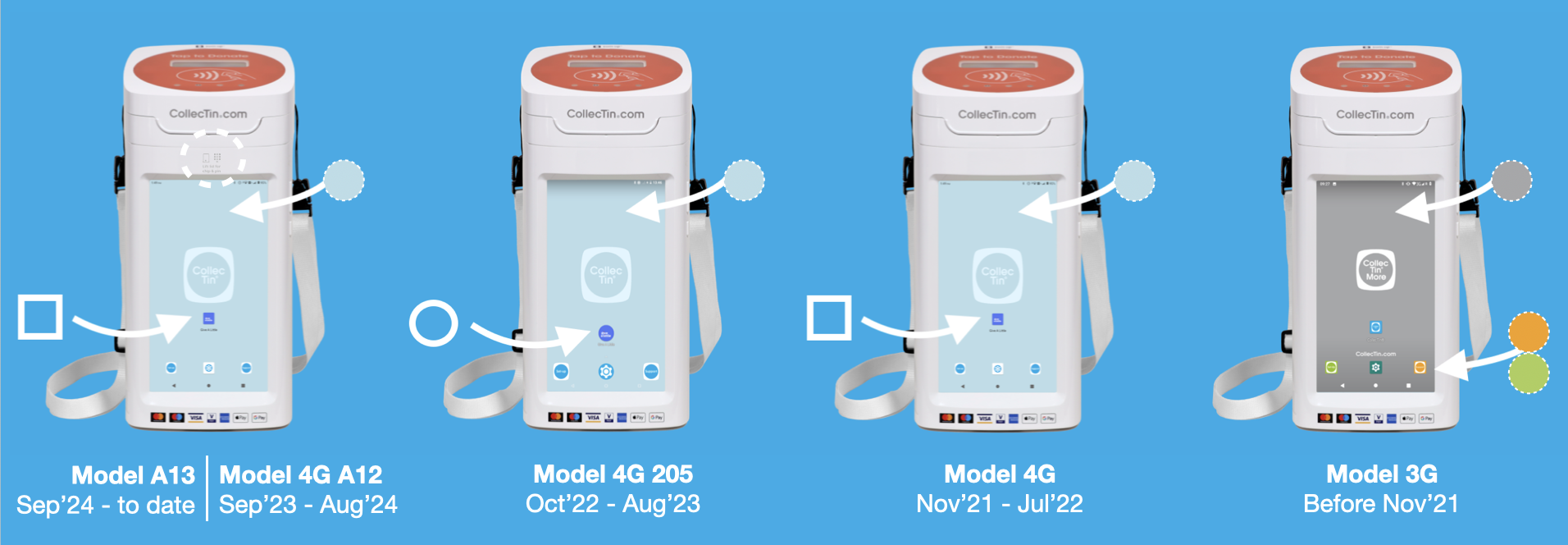
Step 3. Identify your Model
The easiest way, is by looking at the sticker on the back (from Oct'22 onwards) or checking your purchase date. If these are not available or accessible (unit in a Secure Mount), look at your Settings or your Home Screen as detailed below.
Note: The Parish Buying Quickstart Guides are for Church of England customers.
| CollecTin More Models | Corresponding Quickstart Guide Links |
Model A15 - January 2026 to date
| SumUp Stripe |
Model A13 - November 2024 to date
| SumUp Stripe |
Model 4G A12 - September 2023 to October 2024
| SumUp Stripe |
Model 4G 205 - October 2022 to August 2023
| SumUp |
Model 4G - November 2021 to July 2022
| SumUp |
Model 3G - Pre November 2021
| SumUp |
Still unsure? – Contact us here.
Was this article helpful?
That’s Great!
Thank you for your feedback
Sorry! We couldn't be helpful
Thank you for your feedback
Feedback sent
We appreciate your effort and will try to fix the article