>> Please find the step-by-step photo guide below and a video at the very bottom.
After Daisy has sent you the activation notification email it can still take 48 hours for the SIM activation to come through. If it has been longer than 48 hours, can you turn off the Wifi in Settings to check?
To access the tablet's settings, please press the Power Button once, tap Unlock and enter your unlock PIN.
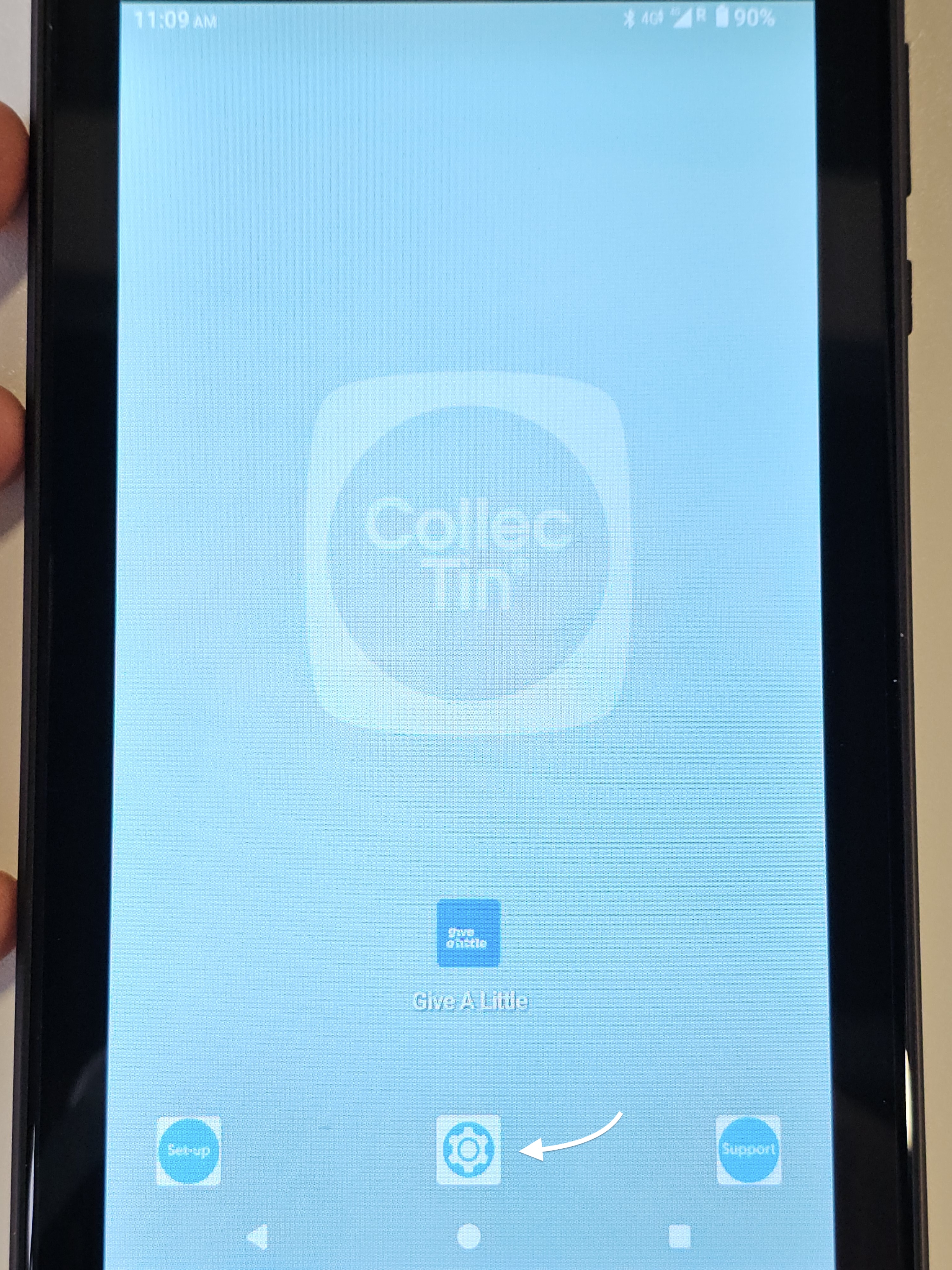 | 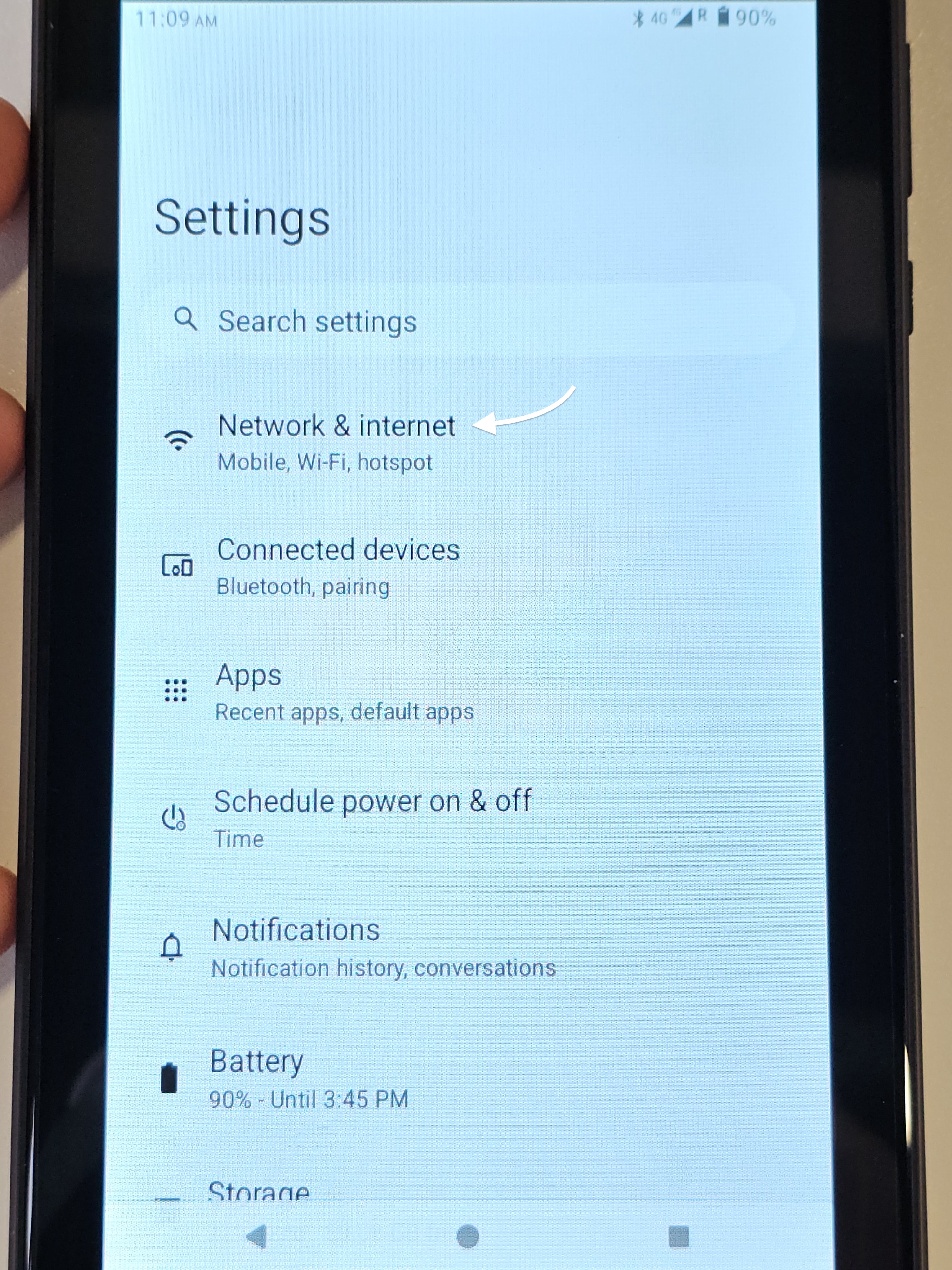 |
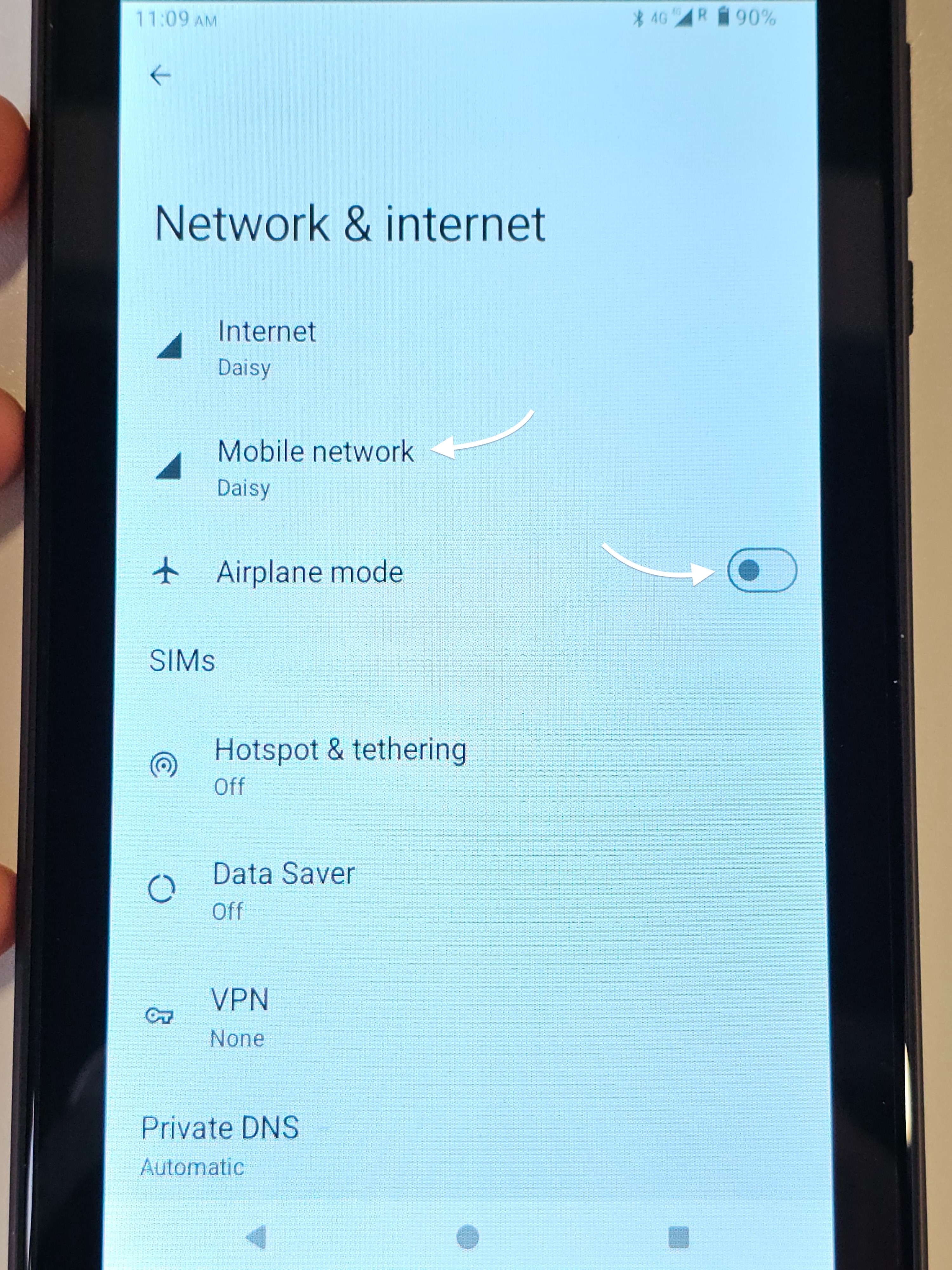
- If ON, toggle to OFF
- If OFF, please toggle aeroplane more ON, wait 5 seconds and toggle it to OFF again
 |
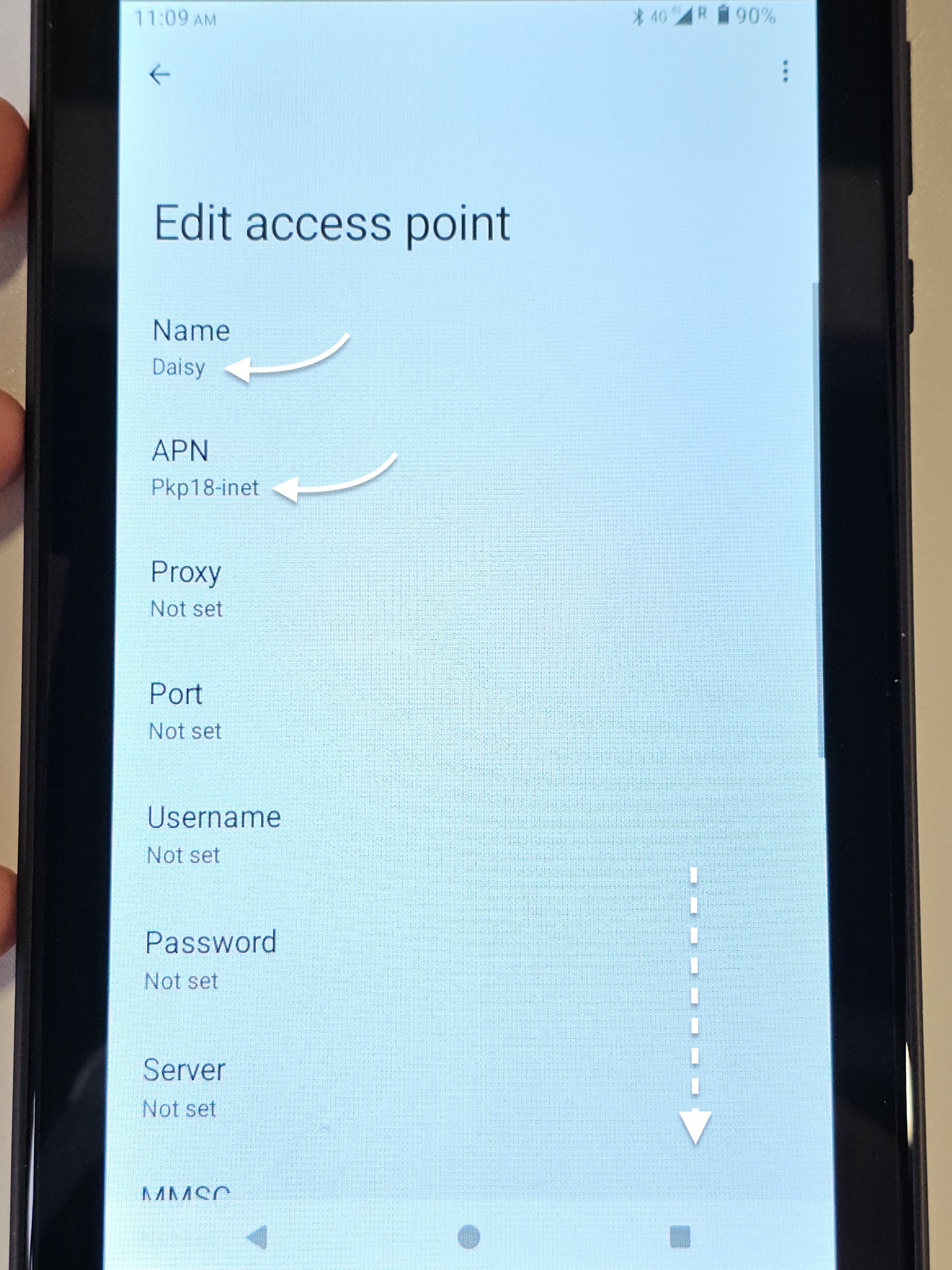
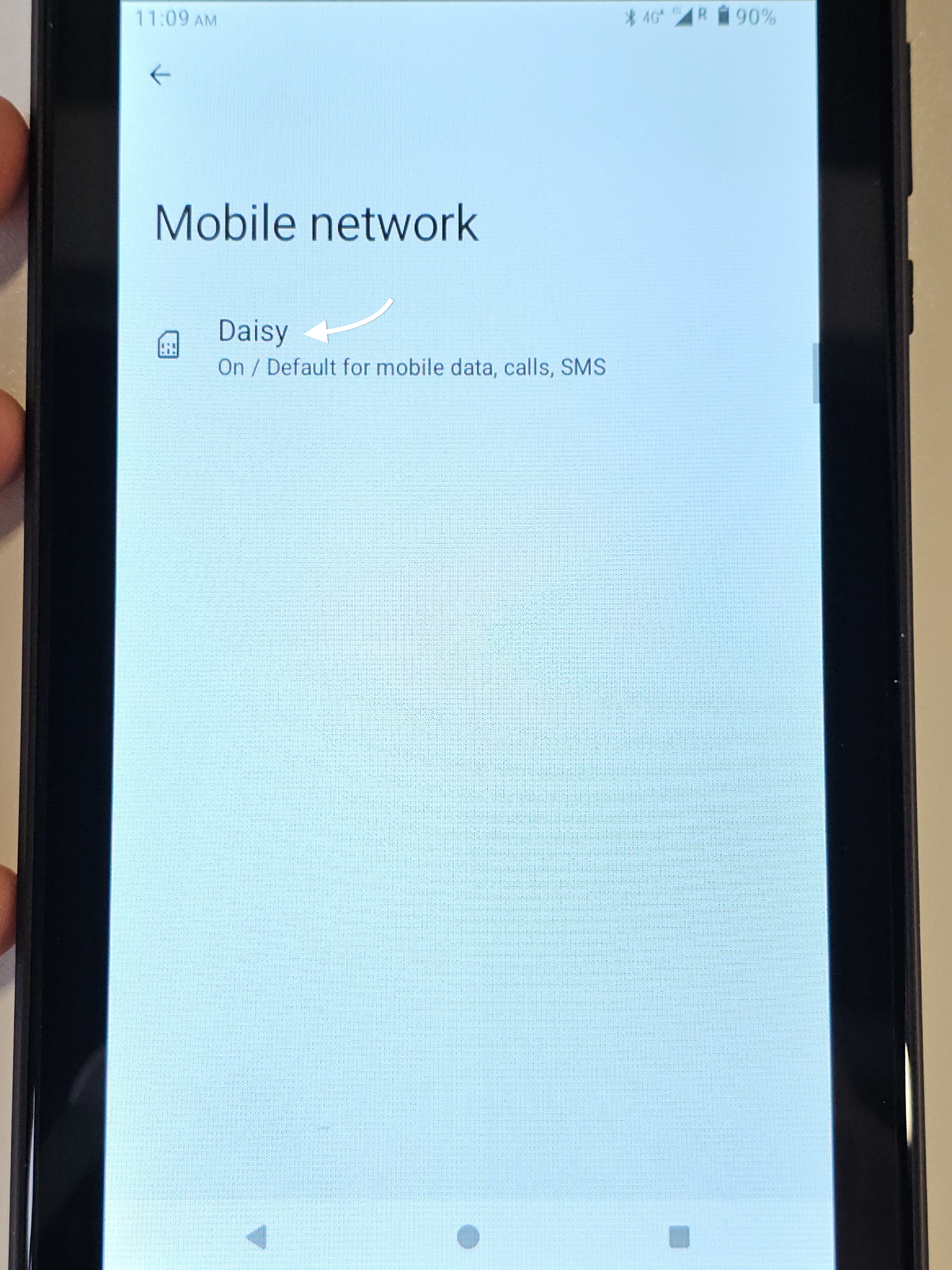 | 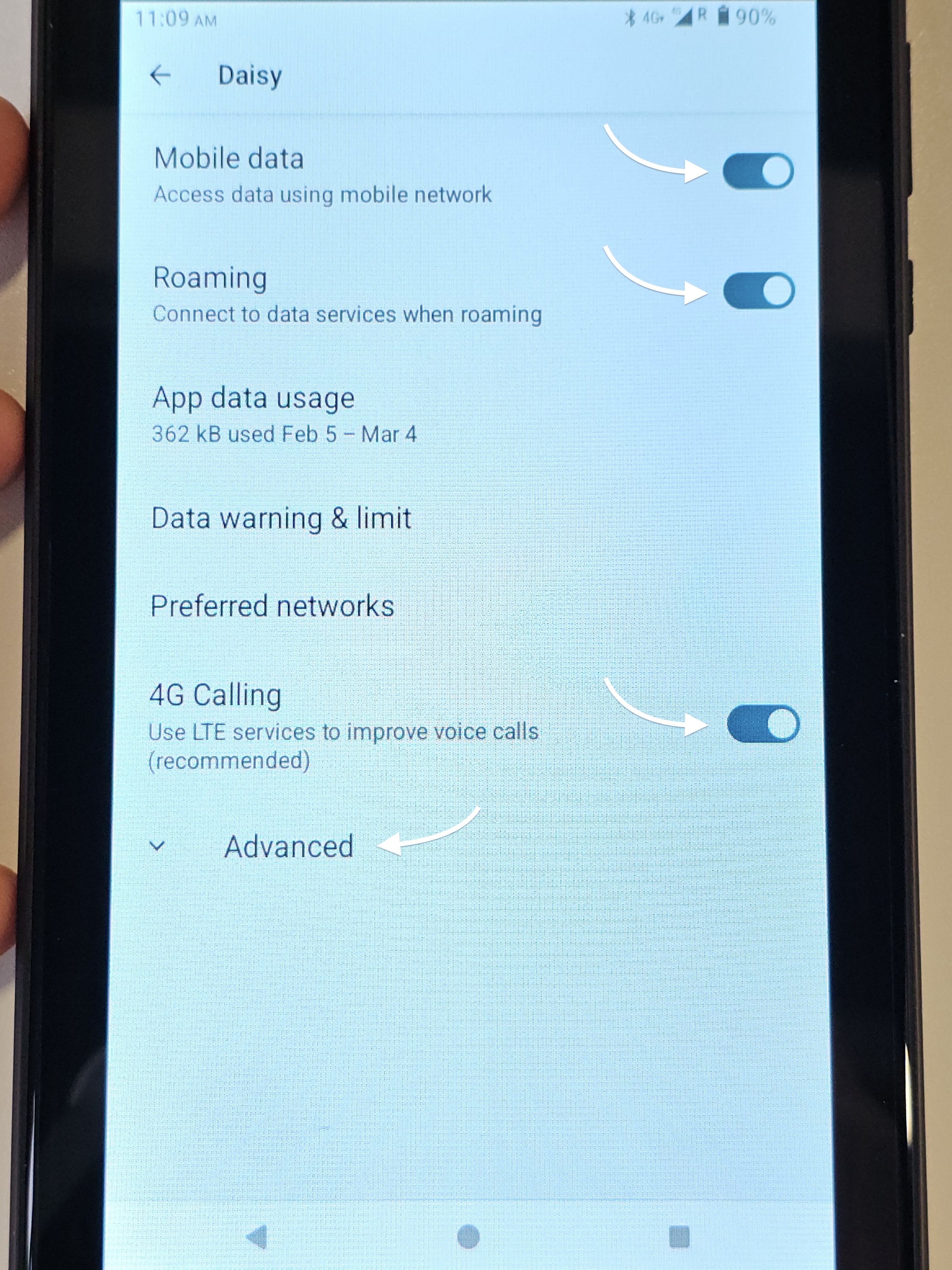 |
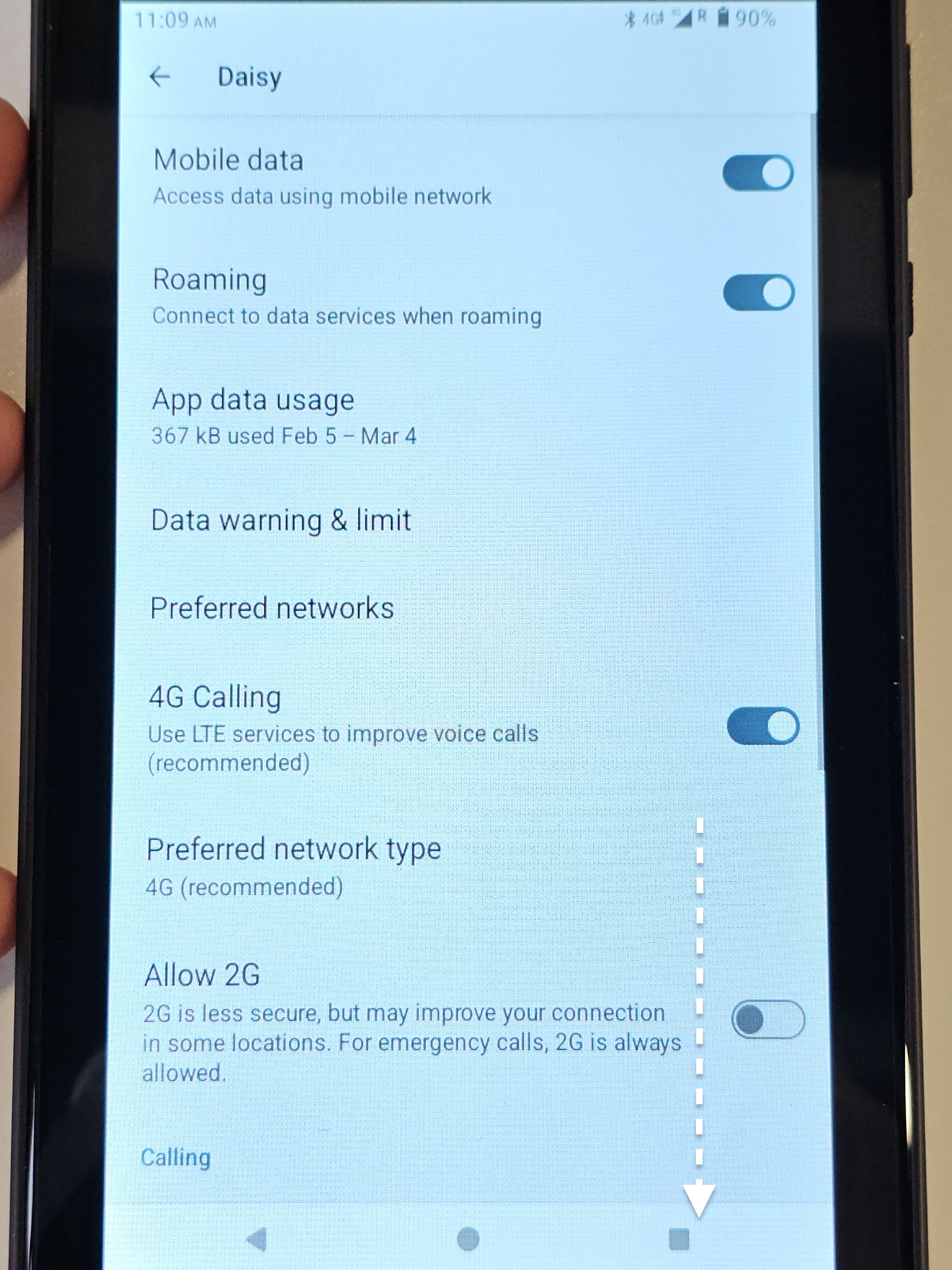 | 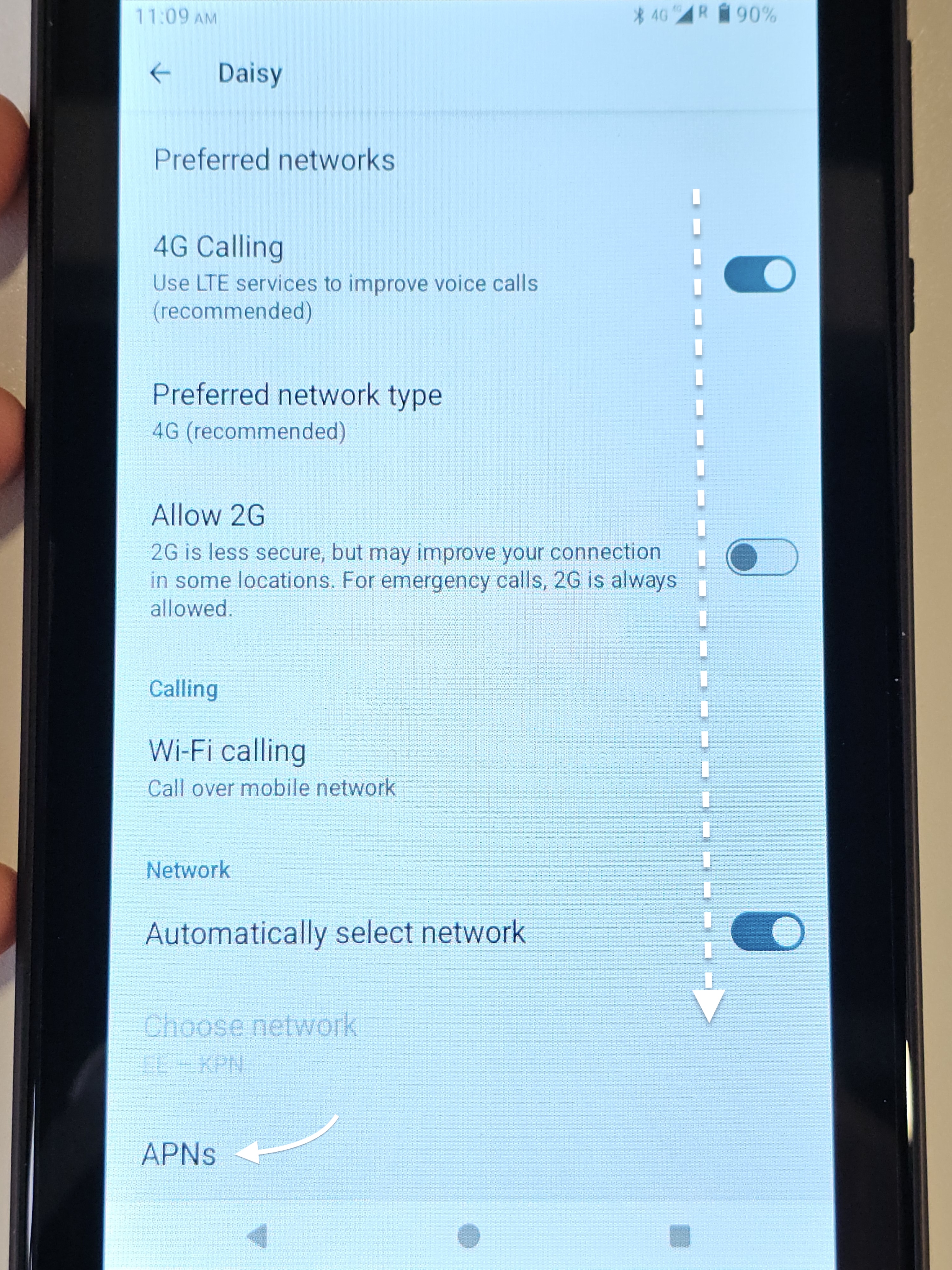 |
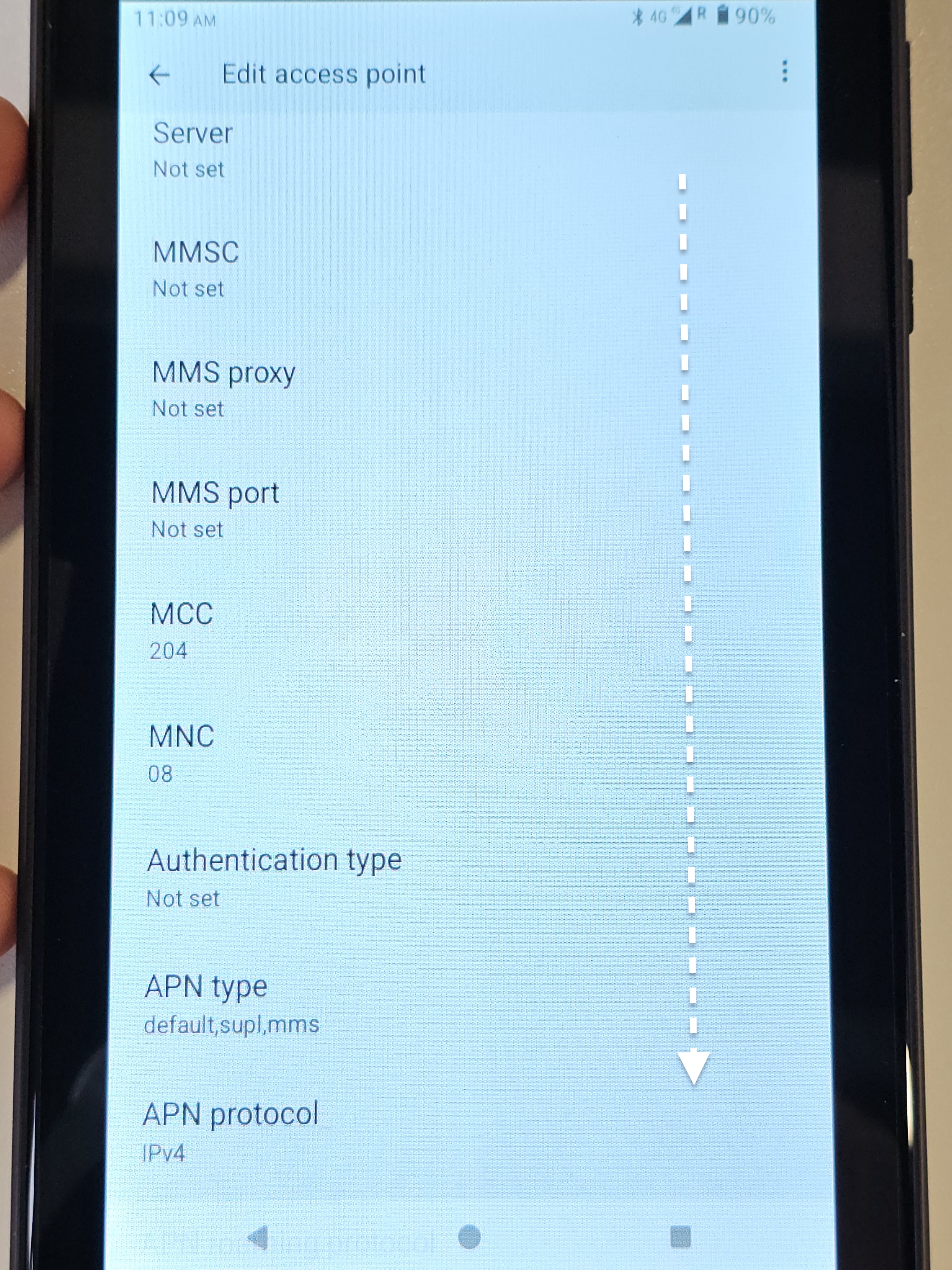
And scrolling down...
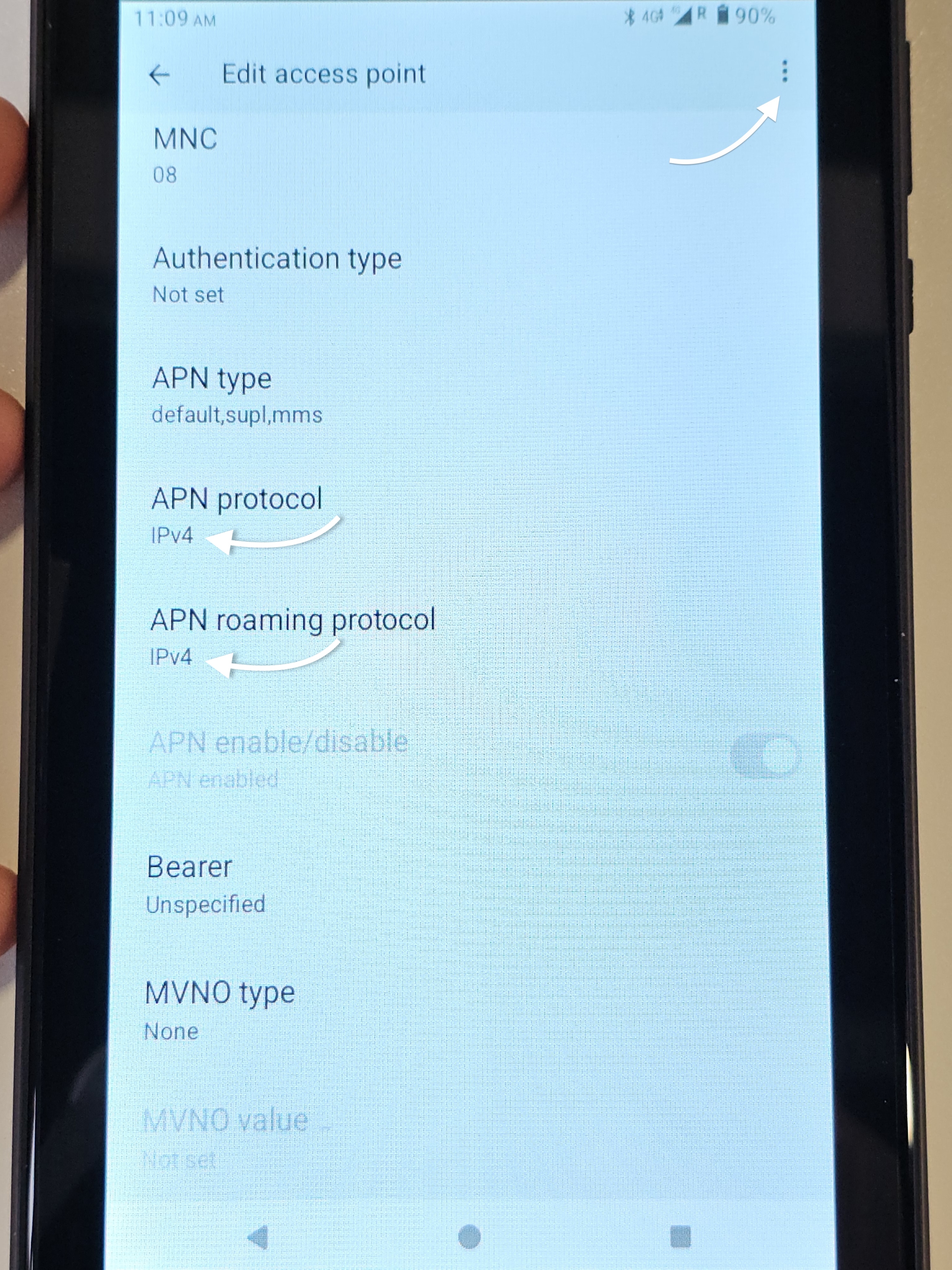
...the 'APN Protocol' = IPv4 and 'APN roaming Protocol' = IPv4
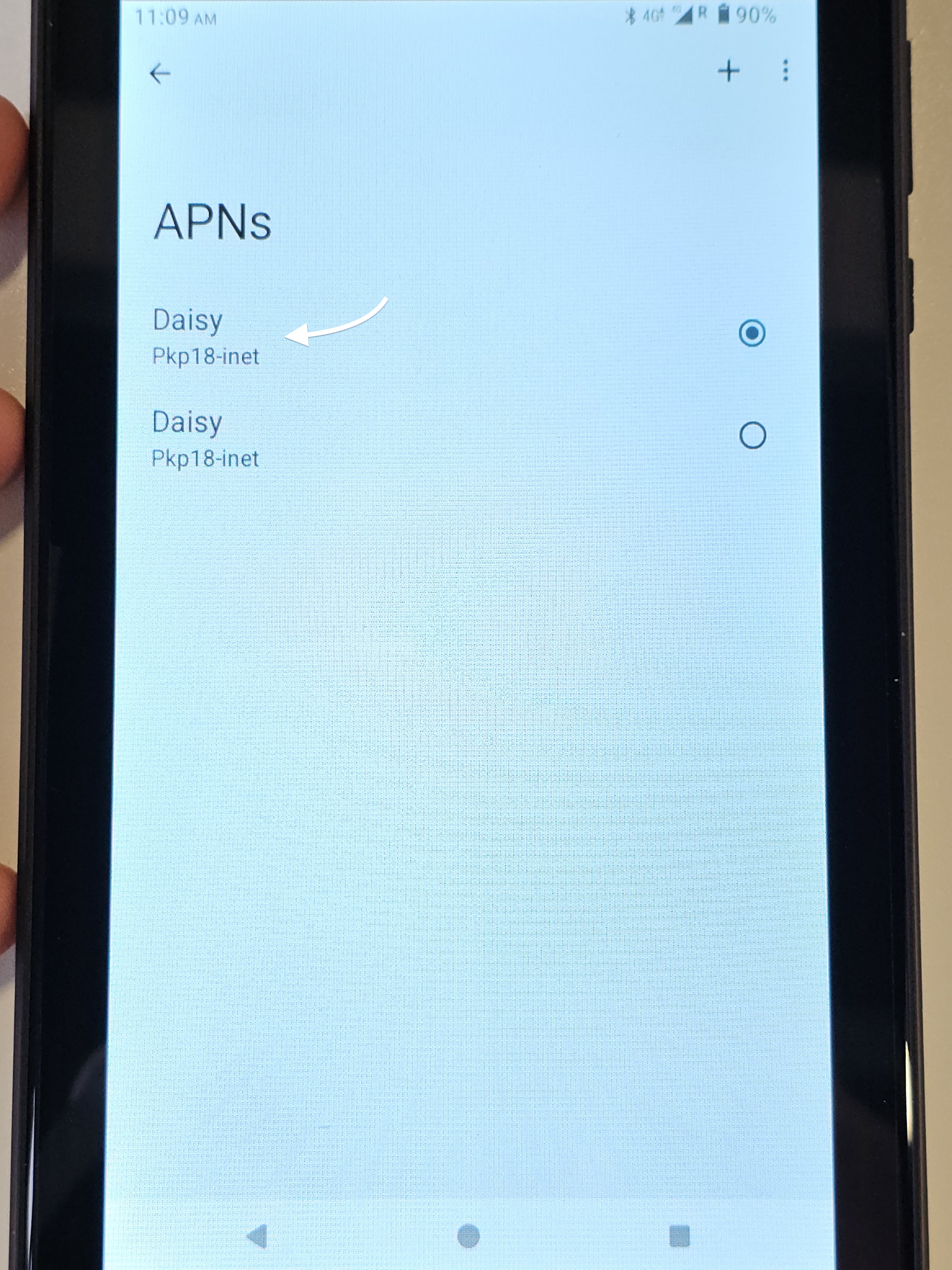 |  |
 |  |
!! IMPORTANT !!
If you have changed an of the above settings, press the three vertical dots on the top right of your screen to > Save
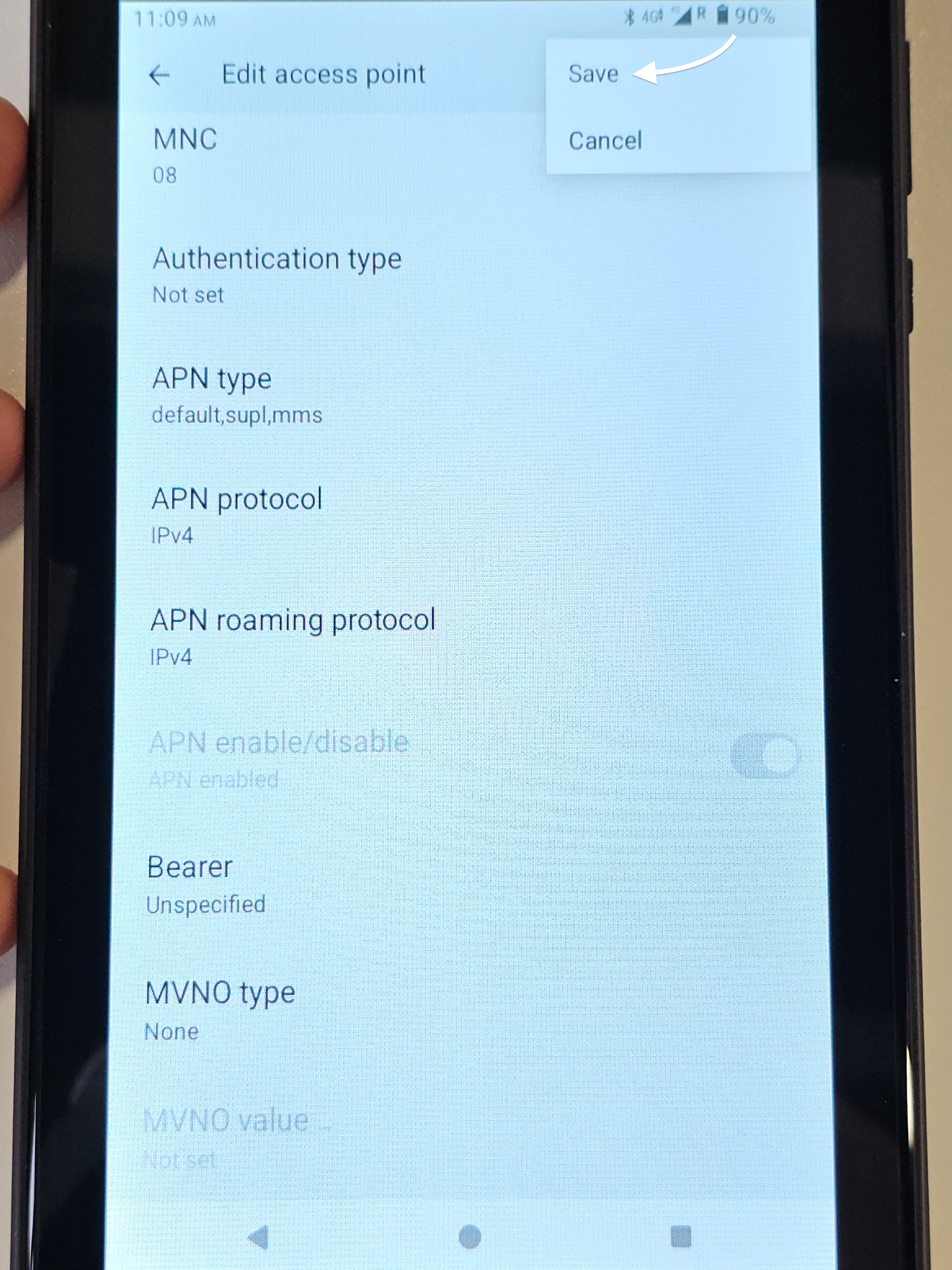 |
!! If you do not press the three vertical dots to SAVE, changes will not be applied.
All your settings are now correct for the Daisy SIM card.
If you are still not able to get connection and you are in a location with strong mobile connection, please contact Daisy on the details below and tell them you have checked all the settings on your tablet with us, which are correct and you still are not able to connect.
To get in touch with the Daisy team who work with CollecTin clients, please email collectin@daisycomms.co.uk
This will ensure you get through to the relevant team, which the general support phone number does not do.
Video Guide to check SIM settings on a CollecTin More (A15) with Daisy Communications SIM
Was this article helpful?
That’s Great!
Thank you for your feedback
Sorry! We couldn't be helpful
Thank you for your feedback
Feedback sent
We appreciate your effort and will try to fix the article